Build MongoDB queries without writing JSON
Drag fields from the schema, combine conditions in nested AND / OR groups, and pick projection and sort. MotionQL writes the filter for you, and reads any filter you type back into the builder.
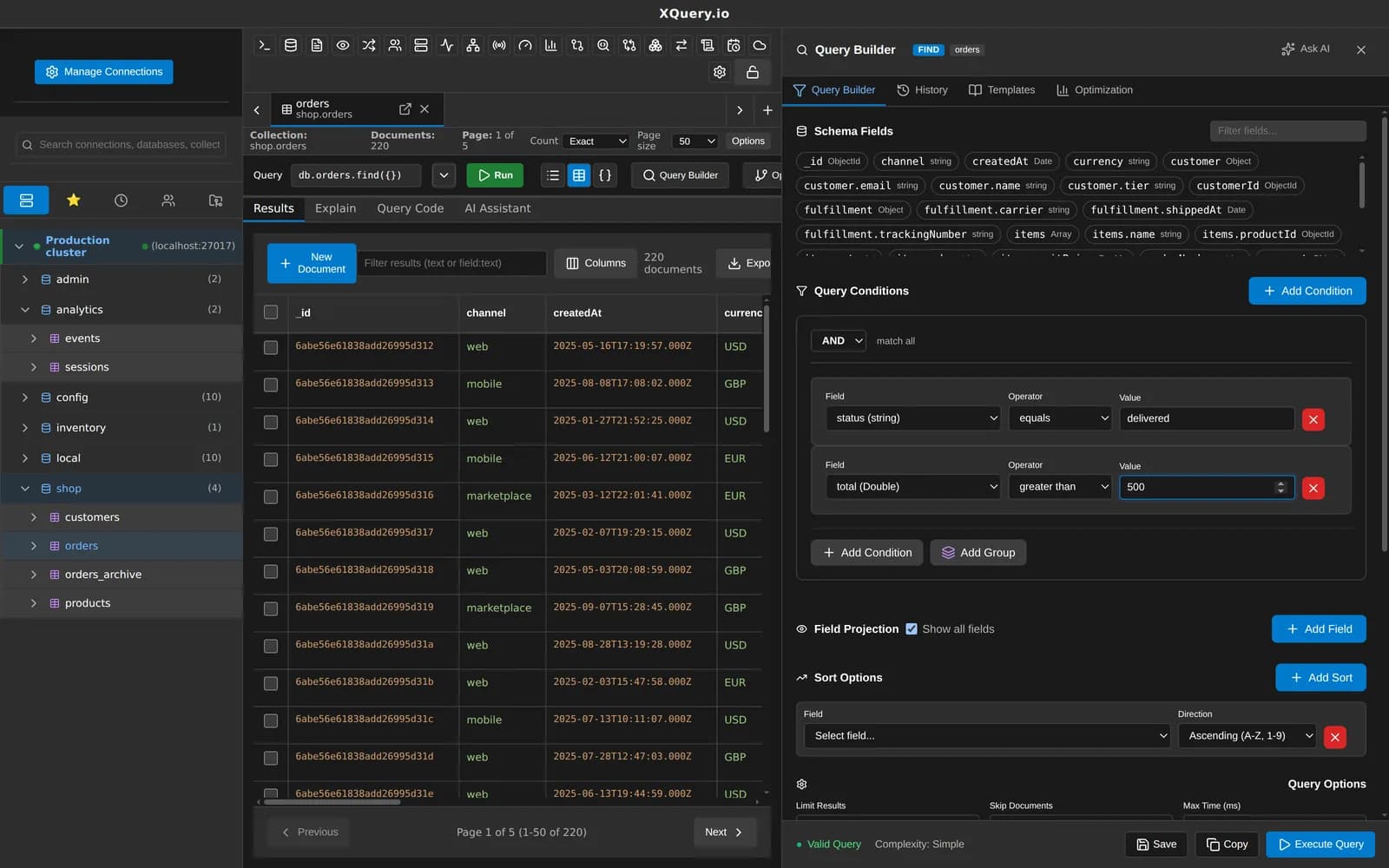
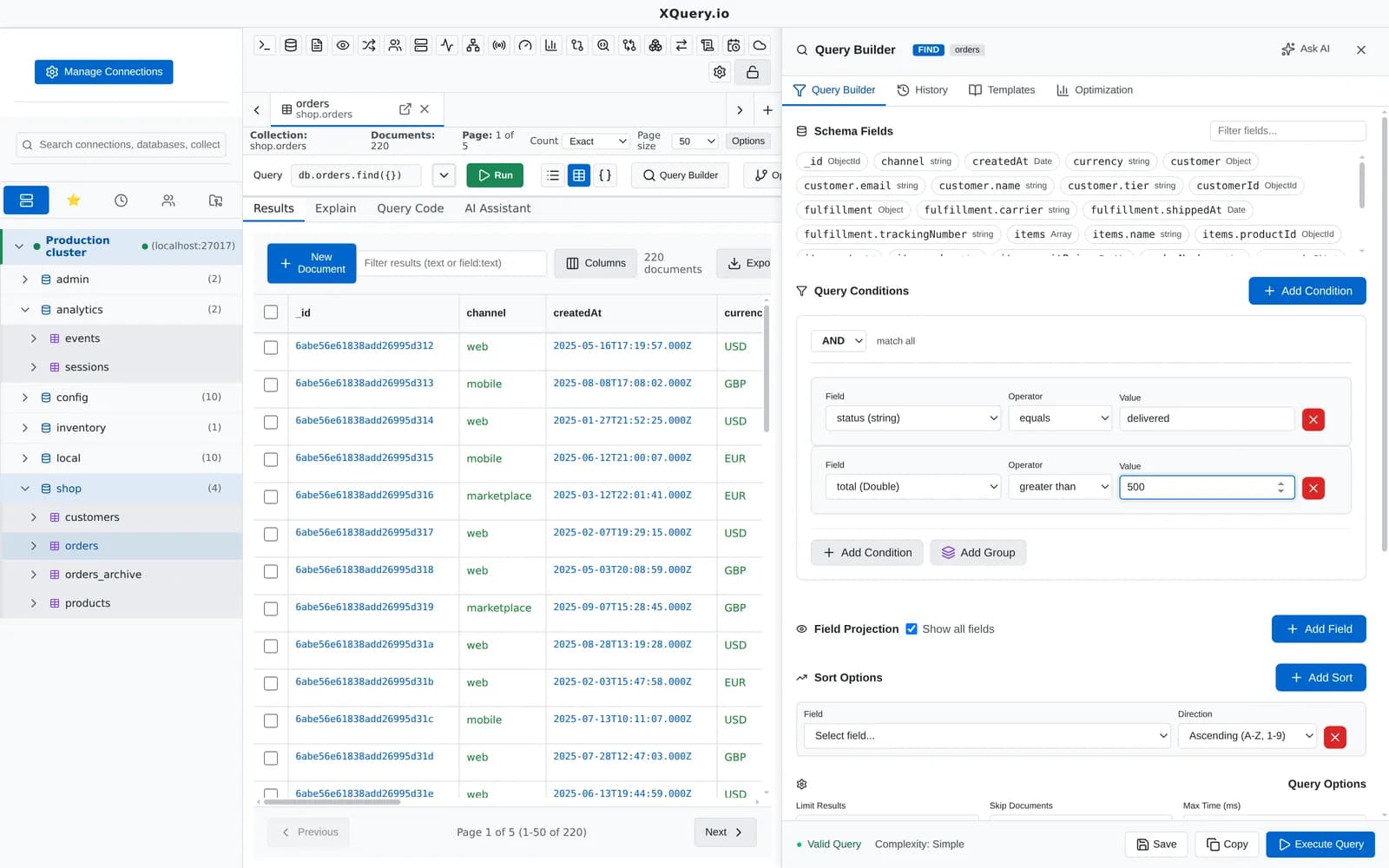
Conditions and groups on the left, the generated MongoDB filter as you build it.
What you can do with it
Drag fields in
Drop a field from the schema list onto the builder, a group or an existing condition.
Nested AND / OR groups
Mix groups to any depth and switch single conditions off without deleting them.
Operators you use
Comparison, $in / $nin, $exists, $type, $regex, $text, $mod, bitwise, array ($all, $size, $elemMatch), $expr, $jsonSchema and geospatial operators.
Round-trip with the query bar
A filter you type in shell syntax opens in the builder as rows and groups, so you can switch between both.
Projection, sort and options
Choose included fields, sort order, skip, limit and maxTimeMS next to the filter.
Saved templates
Save a built query as a template and open it again exactly as you left it.
Tree, table and JSON results
Results open in the collection tab with a column picker, in-place editing and document history with revert.
Code from any query
Query Code turns the query into mongo shell, Node.js, Python, Java, C#, PHP, Ruby, Go or Rust from deterministic templates.
Related features
Your next query deserves a better IDE.
Create a free account, download MotionQL, and paste your Pro key. You'll be querying in under two minutes.