ClickHouse, with the operations panel you always wanted
Exact 64-bit values, a session per tab and an Operations tab with running queries, the query log by shape, merges, mutations, parts, column compression, replicas and Keeper.
- ClickHouse and ClickHouse Cloud
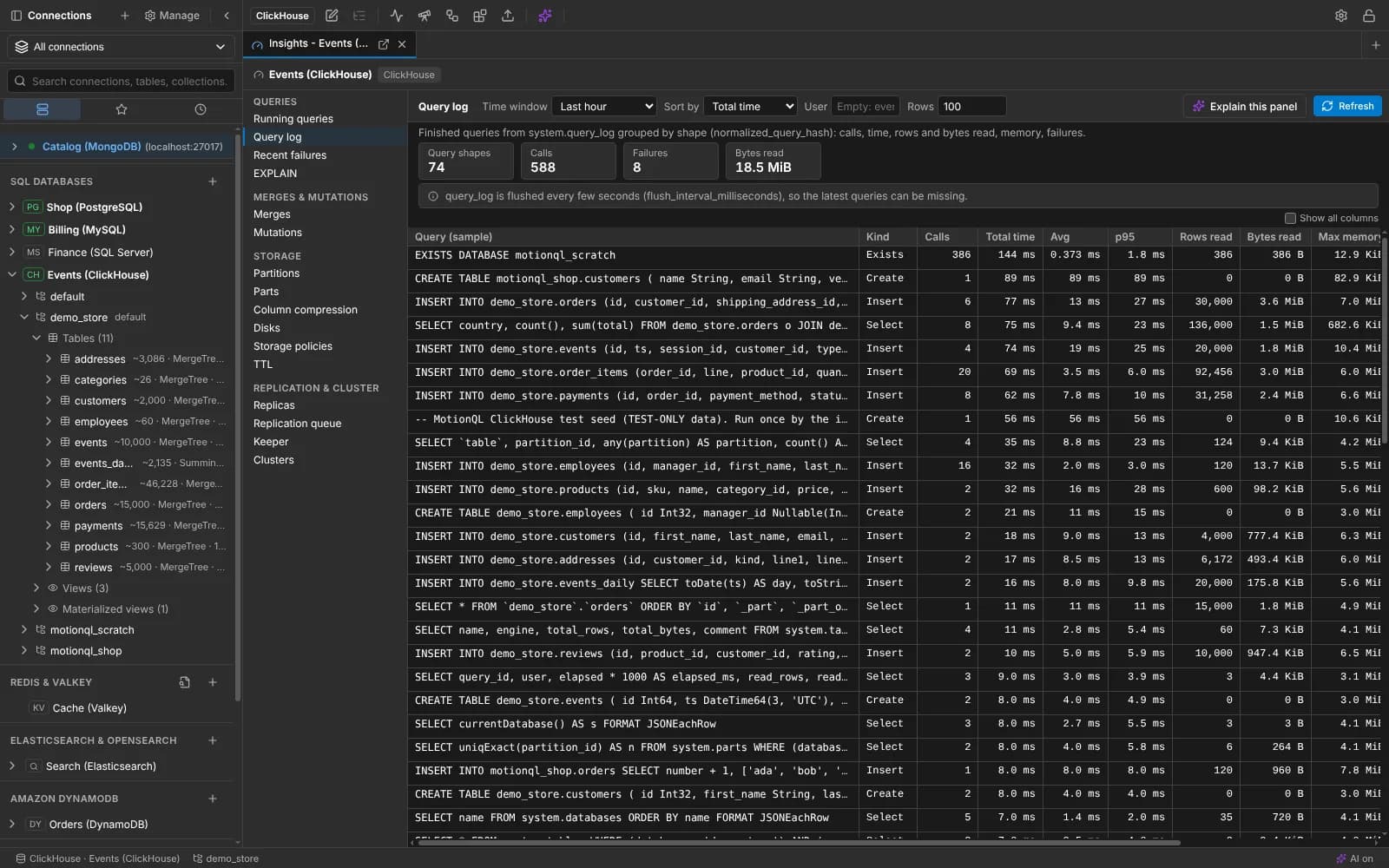
ClickHouse operations: the query log grouped by shape, with time and rows read.
What you get for ClickHouse
The real shape of a table
Each table's engine and size in the tree, with projections and partitions; TTL, compression, parts and replica state in table info; dictionaries with their layout and source.
Operations tab
Running queries, the query log grouped by query shape, failures, merges and mutations, partitions and parts, column compression, disks, replicas, Keeper and clusters.
Safe by default
Read-only connections also run with the server's readonly=2. Kill query, drop partition and OPTIMIZE FINAL ask first and are audited.
EXPLAIN with index usage
See which primary key and skip indexes a query uses before you run it on billions of rows.
And everything every connection gets
Each database keeps its own tools, and shares one workspace with the others.
- Projects with Development, Staging and Production environments, enforced on every write
- Logs & analytics: the server's log, slow operations by shape and live metrics
- An AI assistant that writes and fixes this family's queries, with your own key
- Read-only connections, typed confirmations and a local audit log
- Saved queries as files in a folder you can put in Git
- Notebooks and charts on live results
Features to look at next
Also in analytics and warehouses: Snowflake, Google BigQuery, Trino, Presto and Starburst.
Your next query deserves a better IDE.
Create a free account, download MotionQL, and paste your Pro key. You'll be querying in under two minutes.